Browse
Reolink CX810 PoE Camera

Reolink CX810 PoE Camera

+Local Control+Open APICloud Optional
πŸ”’SecurityπŸ“·Camera

Added Mar 3, 2026

About

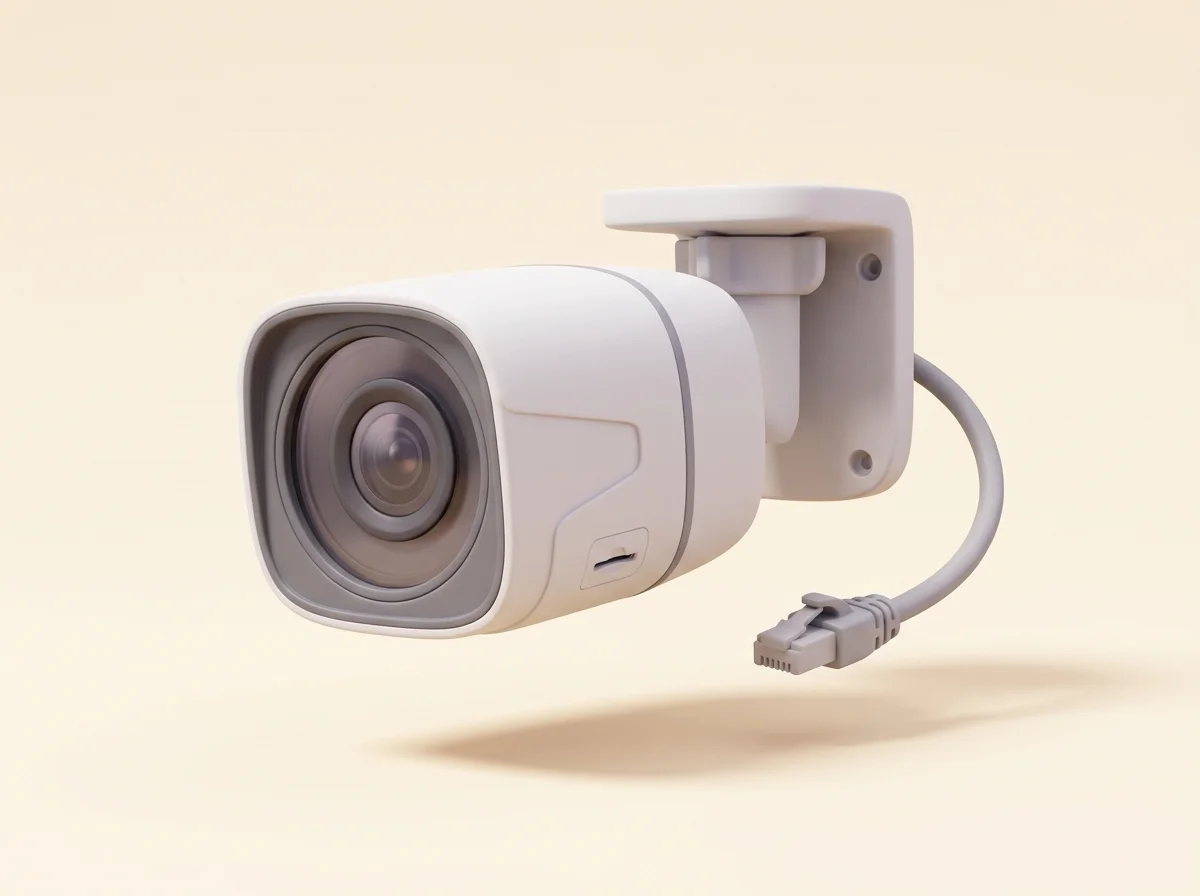
The Reolink CX810 is a 4K (8MP) wired PoE security camera from Reolink's ColorX line, built around an unusually large lens aperture and a sensor tuned for full-color night video using ambient light instead of the grainy black-and-white infrared image most cameras fall back to after dark. A single Ethernet cable delivers both power and data, and footage records locally to an onboard microSD card or a Reolink NVR, with no subscription and no cloud account required for core operation.

This is the kind of product this directory exists to surface. It is local-first by design: ONVIF and RTSP support mean the camera speaks open protocols, so it works with third-party recorders such as Blue Iris, Frigate, and Synology Surveillance Station, not just Reolink's own software. If Reolink disappeared tomorrow, the camera would keep streaming to whatever NVR you point it at. Cloud features exist but are strictly optional, which is exactly the dependency profile a buy-it-for-life security camera should have.

Longevity Verdict Wired PoE cameras are the longest-lived category in home security, and the CX810 follows the formula: no battery to degrade, no Wi-Fi radio fighting interference, and a weather-sealed aluminum-and-polycarbonate housing rated for outdoor exposure. The components most likely to wear are the microSD card, which is a consumable on any camera that records continuously and should be a high-endurance card replaced every few years, and eventually the image sensor, which typically takes a decade or more to meaningfully drift. Because the camera's value does not depend on Reolink's servers, its useful life is set by the hardware, not by a business decision in a boardroom.

Local-First Architecture Everything important happens on your LAN. The camera records to microSD or an NVR, person and vehicle detection run on-device, and the Reolink app can connect directly over the local network. Remote viewing through Reolink's cloud relay is convenient but optional, and power users can skip it entirely with a VPN into their own network. The open RTSP stream is the real long-term insurance: any standards-compliant recorder, today or fifteen years from now, can consume it. Note that some of Reolink's newest smart features work best within its own ecosystem, so third-party setups may get the video stream without every AI bell and whistle.

Failure Modes & Repairability Field failures on Reolink PoE cameras are uncommon and usually trace to installation: water ingress through poorly sealed Ethernet glands, cheap PoE switches, or lightning surges traveling down outdoor cable runs, so use the included waterproof junction parts and consider a surge-protected switch. The unit itself is sealed and not user-serviceable, and Reolink does not sell internal spares, so a genuine hardware failure means replacement. At this price, replacing a failed unit after many years of service is a defensible outcome, and the open-protocol design means a replacement does not have to be a Reolink.

Warranty & Support Reolink backs its wired cameras with a two-year limited warranty, longer than the one-year coverage typical of consumer cloud cameras, and has a solid record of multi-year firmware support across its lineup. Support runs through a well-stocked documentation center and responsive ticket system. Verdict: an honest, durable, standards-based camera whose lifespan you control, which is the buy-it-for-life ideal in this category.

Specifications

Resolution4K UHD, 8MP (3840 x 2160)
Night visionColorX full-color low-light via large F1.0 aperture
PowerPower over Ethernet (802.3af), single-cable install
Local storageMicroSD card slot (up to 256GB) or Reolink NVR
Open protocolsONVIF and RTSP for third-party NVR software
Cloud requirementNone; cloud features strictly optional
Smart detectionOn-device person and vehicle detection
Weather ratingIP-rated weatherproof housing for outdoor use
Video codecH.265 with H.264 fallback
Warranty2-year limited

Frequently Asked Questions

Does the Reolink CX810 require a subscription or cloud account?
No. The camera is fully functional with zero recurring cost: it records to its own microSD card or to a Reolink NVR on your network, motion and person detection run on the camera itself, and notifications and playback work through the Reolink app over your LAN. Reolink does offer an optional cloud plan for off-site backup of clips, which is genuinely useful insurance against a burglar stealing the camera or recorder, but it is an add-on, not a requirement. This no-strings local operation is the main reason the CX810 carries clean deal-breaker flags in this directory. The only purchases to plan for are a PoE switch or injector if you do not already have one and a high-endurance microSD card or NVR drive, all of which are one-time costs that keep working across future camera replacements too.
Will it work with Blue Iris, Frigate, Home Assistant, or a Synology NAS?
Yes, and this is the camera's biggest long-term selling point. The CX810 exposes standard ONVIF and RTSP interfaces, so any third-party recorder that speaks those protocols, including Blue Iris, Frigate, Synology Surveillance Station, and Home Assistant via its generic camera or Reolink integrations, can pull the stream directly. You get the full-resolution feed plus a lower-bandwidth substream for previews. One caveat: some Reolink-specific AI features and settings are most complete inside Reolink's own app and NVRs, so heavy third-party users sometimes configure the camera in the Reolink app first, then hand the stream to their preferred recorder. If you are building a Frigate setup specifically, the community generally recommends recent firmware and the camera's H.264 substream for detection, with the main stream recorded for evidence, a pattern that keeps CPU and accelerator load modest on small home servers.
What happens if Reolink shuts down its servers someday?
Very little, and that is the point. Recording, local playback, on-device detection, and the RTSP and ONVIF streams all operate entirely on your local network with no dependence on Reolink's infrastructure. You would lose the convenience of Reolink's cloud relay for remote viewing and any optional cloud storage, and eventually firmware updates would stop, but the camera would keep doing its job with a third-party NVR indefinitely. Compare that with cloud-required cameras, which become paperweights when their service ends, and the difference in expected useful lifespan is the whole buy-it-for-life argument. It is still wise to keep a copy of the last firmware release and the desktop client installer once support eventually winds down, a habit veteran self-hosters apply to every piece of network hardware they intend to run for a decade.
How good is the color night vision really, and are there conditions where it struggles?
The ColorX approach uses a very wide F1.0 aperture and a sensitive sensor to produce full-color night footage from ambient light, streetlights, porch lights, or even moonlight, instead of switching to black-and-white infrared. In suburban settings with any artificial light nearby, the results are dramatically more useful than IR: clothing colors and vehicle colors stay identifiable. The honest caveat is that in genuinely pitch-black locations with no ambient light at all, any ambient-light camera struggles, and you may want to add a small landscape light or choose a model with a built-in spotlight for that spot. Reolink also publishes sample night footage for its ColorX models, and independent reviewers have generally corroborated the strong low-light showing, so you can judge the look for yourself before buying rather than trusting marketing frames alone.
What maintenance should I expect over a multi-year install?
Plan for three things. First, the microSD card is a consumable: continuous recording wears flash memory, so use a high-endurance card and expect to swap it every two to four years, or sidestep the issue by recording to an NVR with a surveillance-rated hard drive. Second, occasional firmware updates from Reolink's support site keep security current; apply them a few times a year. Third, physical upkeep: wipe the lens dome seasonally, check the waterproof seal on the Ethernet junction annually, and clear spider webs, which are the leading cause of false motion alerts on every outdoor camera ever made. None of this is unusual for the category, and all of it is cheap; the meaningful difference from cloud cameras is that maintenance is something you choose to do to extend life, not a subscription you must pay to retain function.